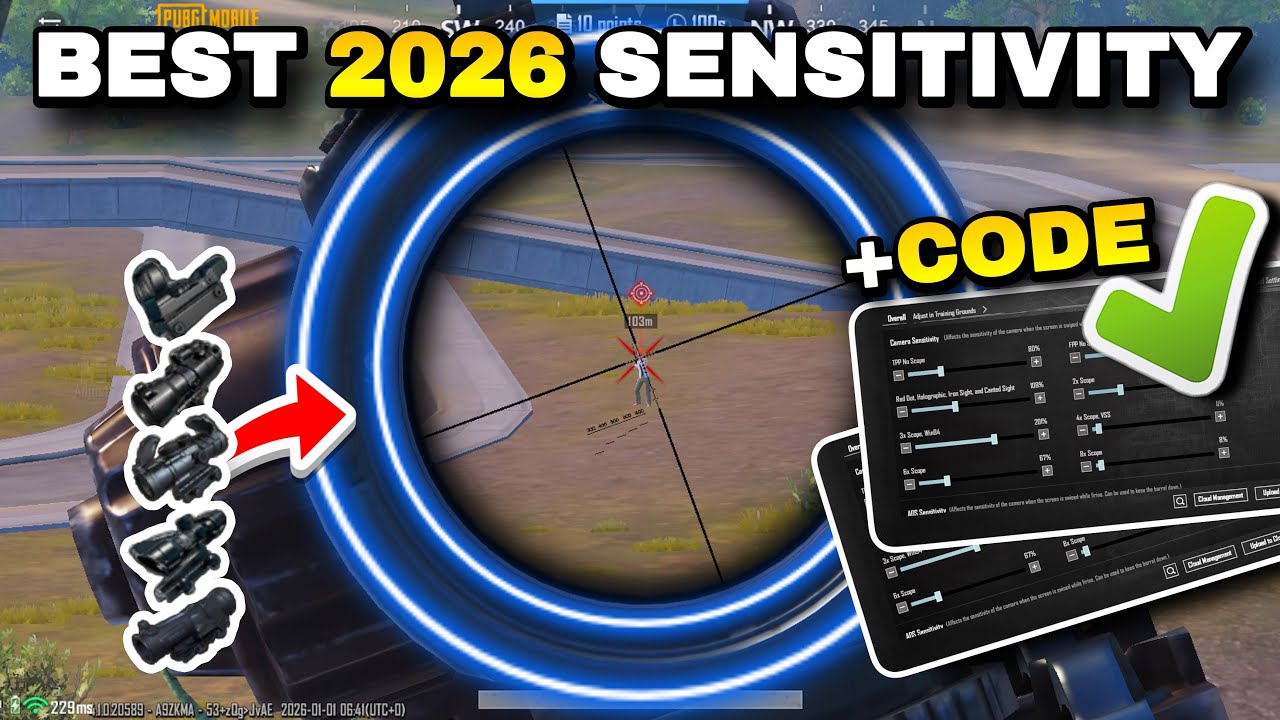
Best PUBG Mobile Sensitivity Settings 2026 – No Recoil and Pro Aim Guide
If you have been struggling with recoil in PUBG Mobile, the problem is most likely your sensitivity settings. Most players spend hours in training mode trying to fix their spray, but no amount of practice compensates for wrong sensitivity values. Getting the right settings dialed in is the single fastest way to improve your gunfights without touching your playstyle.
This guide covers the best PUBG Mobile sensitivity settings for 2026, including camera, ADS, and gyroscope values tested across multiple devices and ranked modes. These settings work on both PUBG Mobile and BGMI.
Why Sensitivity Settings Directly Affect Recoil Control
Sensitivity controls how much your camera moves per unit of input — whether that is a finger swipe or a gyroscope tilt. When your sensitivity is too high, even a tiny swipe overcorrects your aim and makes the weapon pull feel worse than it actually is. When it is too low, you cannot track moving targets or react fast enough in close range.
Free · One App · Everything Unlocked
Unlock What PUBG Mobile Hides From You
120 FPS on unsupported devices, iPad View, no-recoil sensitivity codes — GFXTOOY gives you every hidden setting in one tap, no root needed.
- 120 FPS on non-supported devices
- iPad View — wider FOV, bigger screen
- No-recoil sensitivity codes built-in
- HD & Ultra graphics · 100% no ban
The goal of good sensitivity settings is to find the middle point where your camera feels natural, your crosshair stays on target during a spray, and scope transitions feel smooth. This is different for every player, but the values in this guide are a reliable starting point that covers the majority of playstyles and devices.
Camera Sensitivity Settings for PUBG Mobile 2026
Camera sensitivity affects how fast your view moves when you swipe without pressing fire. These are the recommended starting values:
Camera Sensitivity:
  3rd Person No Scope   : 120
  1st Person No Scope   : 120
  Red Dot / Holographic : 105
  2x Scope              : 95
  3x Scope              : 85
  4x / ACOG Scope       : 70
  6x Scope              : 55
  8x Scope              : 40
The values drop as magnification increases because small movements become heavily amplified at higher zoom levels. If you are using a 6x or 8x scope and your shots feel jittery, lower those values by five to ten points until movement feels controlled.
ADS Sensitivity Settings for No Recoil
ADS sensitivity — aim down sight — controls how your camera behaves while your finger is actively holding the fire button. This is arguably the most important setting for recoil control because it determines how much your crosshair drifts during a spray. Lower ADS values produce tighter, more consistent sprays:
ADS Sensitivity:
  3rd Person No Scope   : 95
  1st Person No Scope   : 95
  Red Dot / Holographic : 88
  2x Scope              : 78
  3x Scope              : 65
  4x / ACOG Scope       : 55
  6x Scope              : 42
  8x Scope              : 30
Many players ignore ADS sensitivity entirely and only adjust the camera values. This is a common mistake. If your spray control still feels inconsistent after adjusting camera sensitivity, the ADS values are almost certainly the issue.
Gyroscope Sensitivity Settings
Gyroscope allows you to control recoil by tilting your phone instead of swiping with your finger. It takes time to get used to, but once mastered it provides significantly tighter spray control than finger-only play, especially on automatic rifles at medium range.
Gyroscope Sensitivity:
  No Scope              : 300
  Red Dot / Holographic : 280
  2x Scope              : 250
  3x Scope              : 220
  4x / ACOG Scope       : 180
  6x Scope              : 100
  8x Scope              : 80
If you are new to gyroscope, cut all these values in half and spend at least two or three training sessions getting comfortable with the tilt response before increasing them. Starting too high will feel chaotic and make you want to turn it off before giving it a fair chance.
Gyroscope is optional. Finger-only players can achieve excellent results using only the camera and ADS values above.
Sensitivity Settings for Low-End Devices
On devices with 2GB to 4GB of RAM, FPS drops are common and they directly mess with sensitivity feel. A setting that feels smooth at 60 FPS will feel sluggish and unpredictable at 30 FPS because the input timing changes between frames.
For low-end phones, apply these adjustments to the values above:
- Reduce all camera sensitivity values by 5 to 10 points
- Reduce ADS values by 5 points across all scopes
- Keep gyroscope off or at very low values until FPS is stable
- Set graphics to Smooth and enable the lowest possible frame rate lock
On a low-end device, stable FPS matters more than high sensitivity. A consistent 30 FPS at lower sensitivity values will produce better recoil control than an unstable 50 FPS at default values.
How to Apply These Settings in PUBG Mobile
Open PUBG Mobile and go to Settings from the lobby screen. Tap Sensitivity from the left menu. You will see separate tabs for Camera, ADS, and Gyroscope. Enter each value manually in the corresponding field and tap Save when done.
After saving, go to the Training Ground and spend at least ten minutes spraying against a wall at medium distance. Watch where your bullets land and whether the spray pulls left, right, or straight down. From there you can micro-adjust individual scope values — usually just the Red Dot and 3x — until the pattern feels straight and controllable.
Best Weapons to Test These Settings With
Not every weapon shows recoil the same way. For testing sensitivity, use weapons with predictable vertical recoil so you can clearly tell whether your settings are working:
- M416 with a compensator and vertical grip — the most consistent spray pattern in the game
- Scar-L — slightly easier to control than M416 and great for initial calibration
- DP-28 — excellent for testing 6x and 4x ADS values at range
- M762 — use this only after dialing in your M416 spray, as it has a more complex recoil pattern
Avoid testing with SMGs or shotguns. Their spread-based mechanics make it harder to judge whether your sensitivity is actually the issue.
Frequently Asked Questions
Are these sensitivity settings allowed in PUBG Mobile?
Yes. These are in-game settings that every player has access to. There is no risk of ban.
Do these settings work on BGMI?
Yes. BGMI uses the same sensitivity system as PUBG Mobile. You can apply the exact same values.
How long will it take to get used to new sensitivity?
Most players adjust within three to five sessions. Do not switch back to old settings too quickly — the discomfort at the start is normal and does not mean the settings are wrong.
Should I copy a pro player's sensitivity exactly?
Pro sensitivity settings are a useful reference but they are tuned for specific devices, screen sizes, and physical grip styles. Always use them as a starting point and adjust rather than copying them blindly.
Why does my recoil feel different at different FPS?
PUBG Mobile's physics and input response are tied to frame rate on many devices. When FPS drops, sensitivity effectively becomes less precise between frames. Locking your FPS and improving performance first makes sensitivity tuning more reliable and consistent.
Final Thoughts
Good sensitivity in PUBG Mobile is not about finding some secret extreme value — it is about finding what feels stable and repeatable for your hands and your device. The settings in this guide give you a solid baseline that has been tested across different phones and playstyles. Apply them, spend time in the training ground, and make small adjustments where needed rather than completely changing everything at once.
Combine these settings with stable performance using GFXTOOY to unlock better FPS, and your recoil control will improve faster than any amount of raw practice alone.
Comments